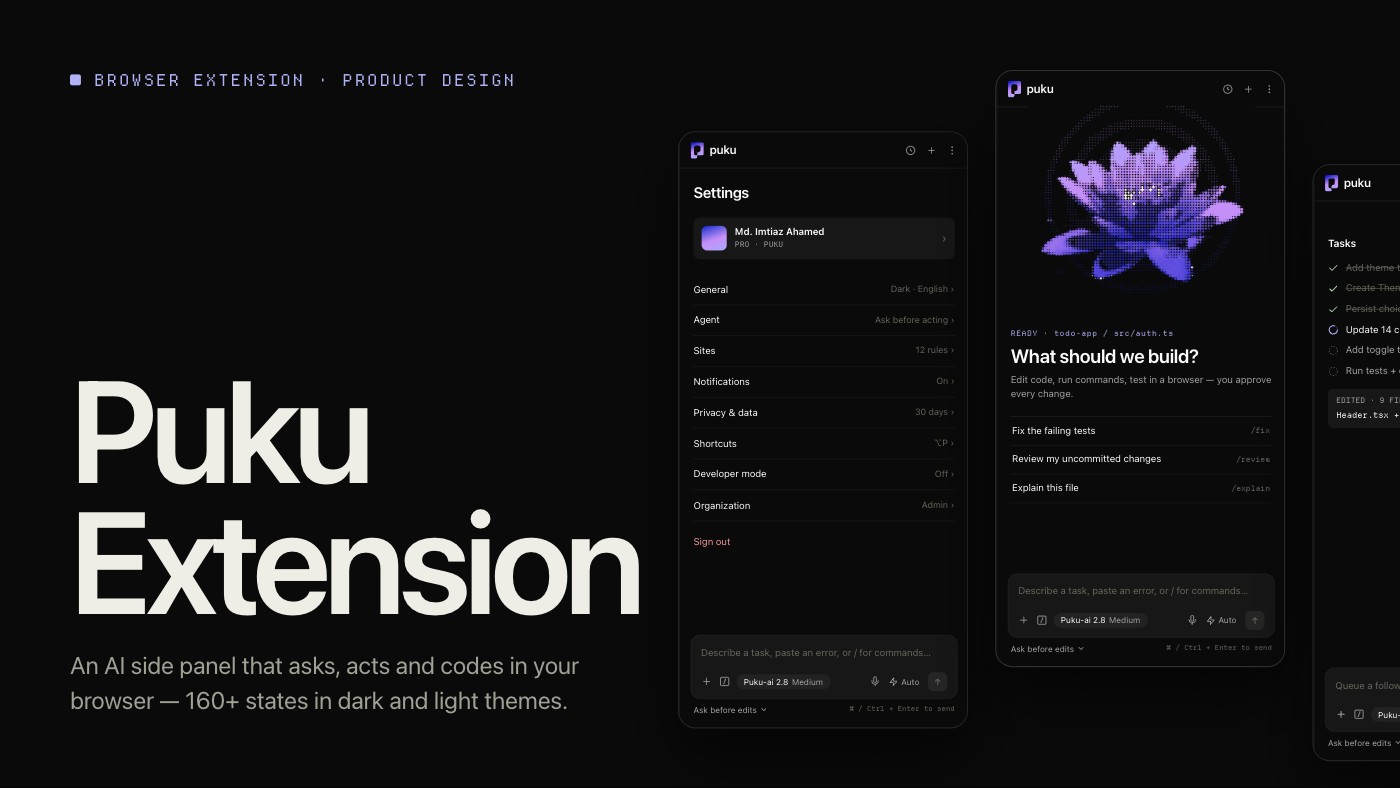
Puku Extension
An AI side panel that asks, acts and codes in your browser.
- Role
- Product & design lead
- Scope
- 160+ states · dark & light
- Platform
- Browser side panel · 420×860
The brief
An agent that can act on web pages has to be trustworthy at every step — so the brief was every state, not just the happy path.
What I did
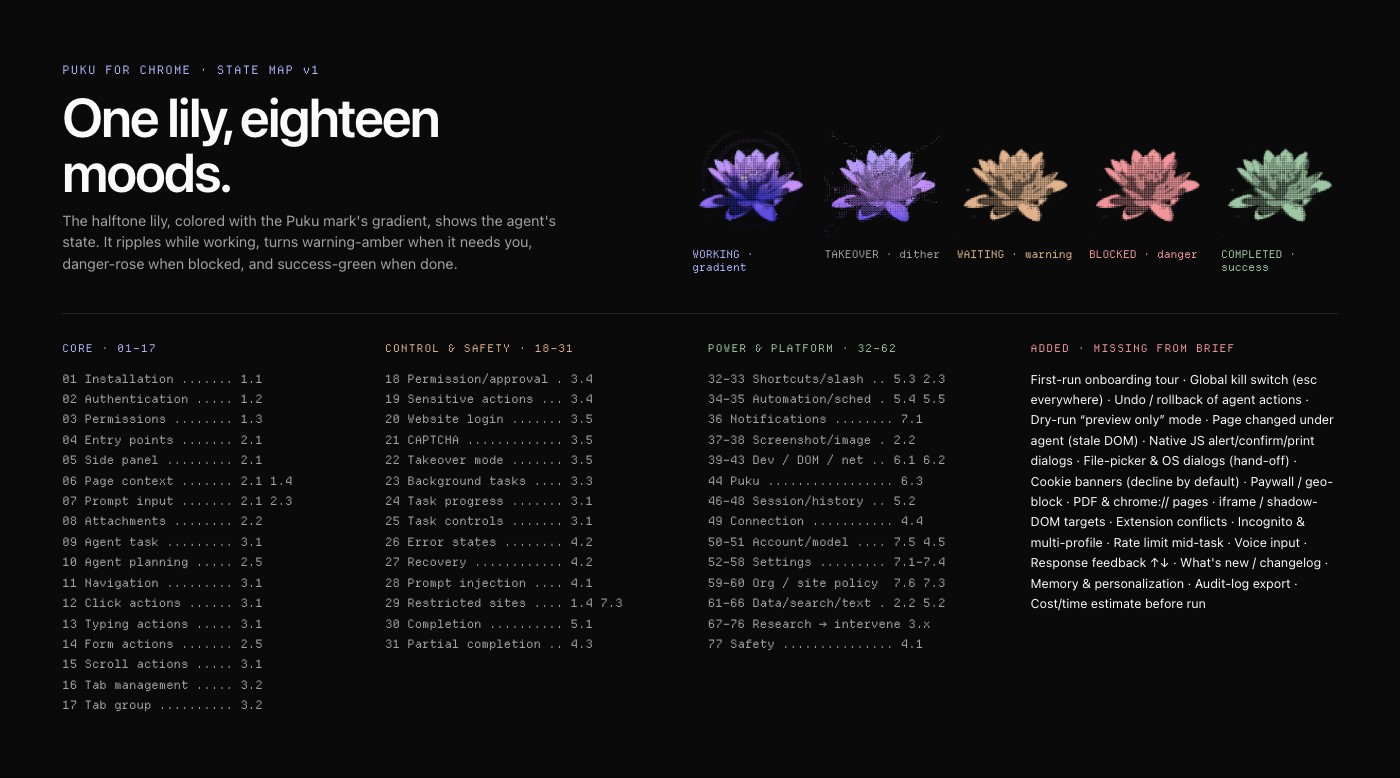
- Built the Extension State Map: 77 numbered states traced from the brief to screens, with a column of states I added that the brief missed — kill switch, undo, dry-run mode, audit-log export.
- Organised the product into Onboard, Ask, Act, Recover, Reuse, Developer and Settings, then designed 160+ screens across both themes.
- Designed the safety surface: prompt-injection recovery, takeover, approval, checkpoints, MCP & tools, model and effort picker.
- Gave the agent a halftone lily mascot whose colour signals state — working, takeover, waiting, blocked, completed.
Key decisions
- D.1
Gaps are product work
Missing safety states were added, not deferred.
- D.2
“One lily, eighteen moods”
The mascot carries system status at a glance.
- D.3
Recover is a pillar
Recovery has its own section, equal to Ask and Act.
Next Puku product
Puku Web-Chat